

Written by
Jude Sarkar
The Best Tech Support Resources for Senior Citizens
Technology can help older adults stay connected, independent, and informed, but computers, smartphones, email, online accounts, and security settings can also become frustrating quickly.
Specialized tech support can make a big difference by providing patient, step-by-step assistance without unnecessary technical jargon.
MicroSec® provides remote IT assistance designed to help older adults troubleshoot devices, understand everyday technology, and stay safer online.
The Tech Landscape for Older Adults
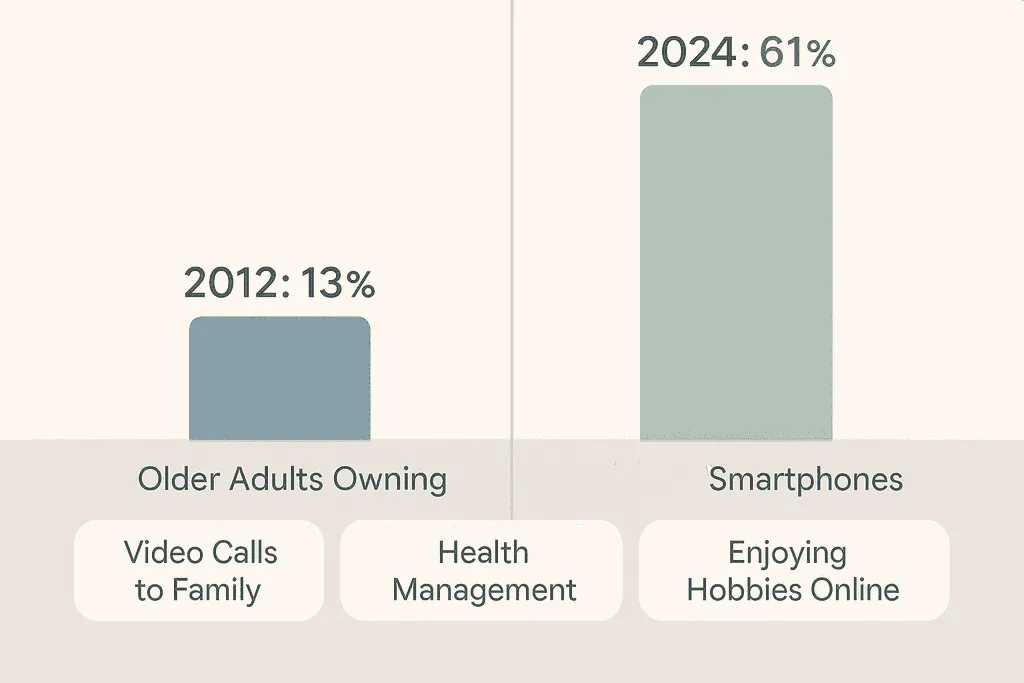
More older adults are using smartphones, tablets, computers, smart TVs, video calling, and online services than ever before.
Technology can help seniors communicate with family, manage everyday tasks, access entertainment, learn new skills, and stay connected to their communities.
The challenge is making those tools understandable and comfortable to use.
Stay Connected
Video calls, messaging, email, and social platforms help people stay in touch with family and friends.
Manage Daily Life
Devices can support reminders, calendars, health apps, and other everyday tasks.
Enjoy Hobbies
E-books, videos, games, music, and educational tools can be easier to access with the right setup.
Handle Online Tasks
Banking, shopping, appointments, and account management increasingly happen online.
Common Technology Challenges
- Small buttons, text, and touchscreen controls.
- Complicated menus and settings.
- Concerns about scams and online safety.
- Difficulty knowing what to do when a device stops working.
Research suggests that effective technology support and training can improve confidence, digital participation, and social connection among older adults. Read the related study .
Remote IT Support Services
Get Help Without Leaving Home
Remote support can be especially convenient for seniors who do not want to carry a desktop computer, laptop, printer, or other device to a repair location.
Many software and configuration problems can be diagnosed while the person stays at home.
MicroSec® offers senior-friendly remote support focused on clear communication, patient guidance, and practical troubleshooting.
User-Friendly Tech Tools for Seniors
Simplified Smartphones
Phones with larger text, simplified menus, loud audio, and easy access to essential contacts can reduce frustration.
Voice Assistants
Voice-controlled assistants can help with reminders, timers, basic questions, music, and smart-home controls without requiring complex navigation.
Tablets With Accessibility Features
Tablets can provide larger screens for reading, video calls, photos, entertainment, and communication.
Many regular iPhones, iPads, Android devices, Windows PCs, and Macs also include accessibility tools such as larger text, screen magnification, voice control, contrast options, and spoken content.
Before buying a specialized device, it may be worth checking whether the device you already own can be adjusted to make it easier to use.
Educational Resources and Training Programs
Learning technology gradually can help build confidence and reduce dependence on others for everyday tasks.
| Resource Type | Benefits | Where to Look |
|---|---|---|
| Online Courses | Learn at your own pace from home. | Learning platforms and senior-focused education programs. |
| Local Workshops | Hands-on instruction and opportunities to ask questions. | Libraries, community centers, senior centers, and local groups. |
| One-on-One Support | Personalized help with the exact device or problem. | Remote IT services, local technicians, or trusted family members. |
MicroSec® focuses on both fixing problems and explaining what happened, so users are not left wondering what changed.
Research has also linked digital technology use with improved social connection among older adults. View the research .
Government Resources for Senior Tech Support
Government agencies and public organizations publish resources that can help older adults understand cybersecurity, scams, privacy, and safer technology use.
- Cybersecurity guides
- Online safety education
- Scam prevention information
The U.S. Department of Homeland Security has published technology and online-safety resources for seniors .
These materials can be useful for education, while one-on-one support may still be better when someone needs help fixing a specific device or account problem.
Scaling Tech Programs for Seniors
As more seniors use connected devices and online services, communities need technology education and support that can reach more people.
Digital platforms can help organizations provide training programs, reminders, social engagement, and educational services across larger geographic areas.
One example discusses how technology platforms can help scale programs for older adults .
Even as large-scale programs grow, many older adults still benefit most from individual assistance tailored to their actual device and level of comfort.
Choosing the Right Tech Support
Support should move at the user's pace without making them feel rushed.
Instructions should avoid unnecessary jargon and complicated terminology.
Remote support can make professional help easier to access from home.
Good support should help users understand the problem, not just fix it.
The best support does more than solve a single problem. It helps older adults become more confident using their technology independently.
MicroSec® combines troubleshooting with patient explanations so users understand what was fixed and how to avoid similar problems where possible.
Choosing the Right Tech Support for Seniors
As technology becomes more important to everyday life, choosing a support provider that communicates effectively with older adults is just as important as technical skill.
Three areas are particularly important: communication, independence, and long-term adaptability.
- Use simple, jargon-free language.
- Explain instructions step by step.
- Repeat steps when necessary.
- Provide written follow-up when useful.
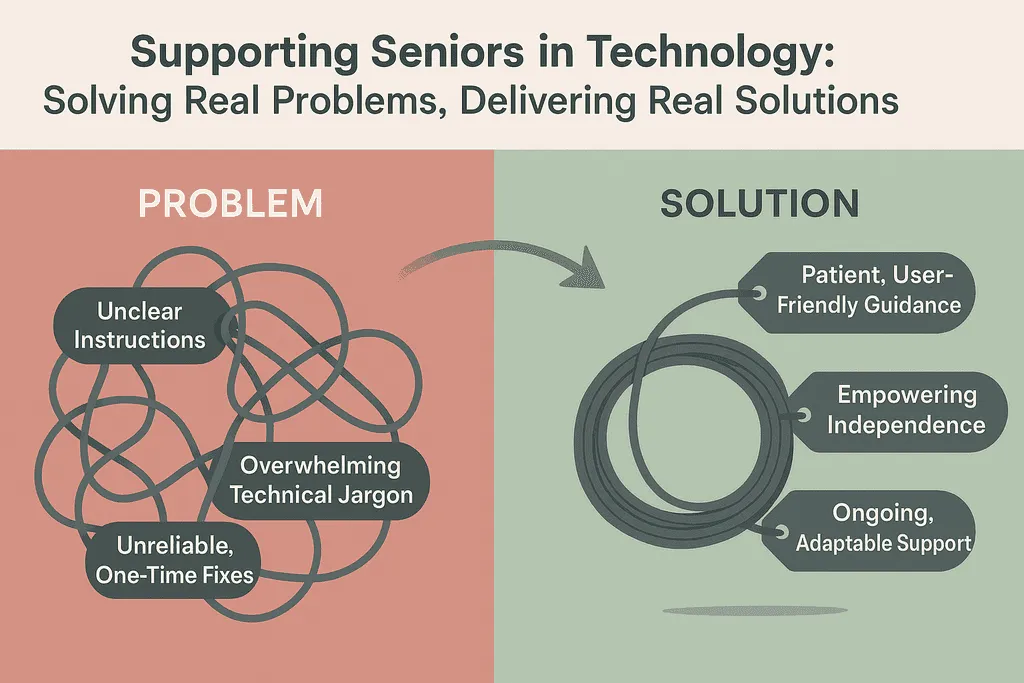
Good support should strike a balance between helping someone immediately and teaching them enough to handle similar tasks independently later.
Support needs may also change over time. Someone who initially needs help connecting to Wi-Fi may later want guidance with password managers, video calls, online accounts, or cloud storage.
Research on technology engagement among older adults suggests that ongoing support can improve adoption and satisfaction. Review related case studies .
Wrap-Up
There are more technology resources for seniors today than ever before, including tutorials, community classes, accessibility tools, government guidance, family support, and professional remote IT services.
The goal should not be to turn every older adult into a technology expert. It should be to help people feel comfortable enough to use the tools that make their lives easier.
When a problem becomes frustrating, services such as MicroSec® can provide senior-friendly remote help without requiring a trip to a repair shop.
Whether it's stopping unwanted pop-ups or fixing internet connection problems , knowing where to get patient, trustworthy help can make technology much less stressful.
Common Questions About Senior Tech Support
Helpful answers about support costs, safety, remote help, and common technology problems.
How much does specialized tech support for seniors typically cost?
Pricing varies significantly by provider, location, subscription plan, and the type of assistance required.
Some organizations provide free educational programs, while professional remote or in-person support may charge per session or use monthly support plans. Always review current pricing directly with the provider before purchasing a service.
What are the best ways for seniors to stay safe online?
- Use strong and unique passwords.
- Avoid sharing sensitive information with unexpected callers.
- Learn to recognize phishing and scam messages.
- Keep devices and applications updated.
- Use reputable security software where appropriate.
- Never allow remote access to an unknown caller.
Are there tech support options for seniors with limited mobility?
Yes. Remote support can be especially useful for people with limited mobility because many software, email, printer, connectivity, and configuration problems can be investigated without leaving home.
What kinds of problems can senior tech support usually help with?
- Computer and device setup.
- Internet and Wi-Fi problems.
- Email configuration and troubleshooting.
- Virus and malware problems.
- Data backup and transfer.
- Printer setup and troubleshooting.
How can rural seniors access quality tech support?
Remote support can provide access to professional assistance regardless of distance, provided the user has a working phone or internet connection.
Libraries, community centers, senior programs, and local nonprofit organizations may also offer technology education in rural areas.
Need Patient, Senior-Friendly Tech Support?
If a computer, smartphone, email account, printer, Wi-Fi connection, or security warning has become confusing, you don't have to figure it out alone.
MicroSec® provides remote technology support focused on clear explanations, patient troubleshooting, and helping users feel more confident with their devices.
Contact MicroSec®Written by Jude Sarkar
Founder & Cybersecurity Consultant at MicroSec®
Jude Sarkar is the founder of MicroSec®, a BBB Accredited and fully insured U.S.-based remote IT support and cybersecurity company. With over a decade of hands-on experience in malware removal, virus cleanup, and scam prevention, Jude helps homeowners, seniors, and small businesses stay safe online through trusted, human-first remote support.
For more information, please visit About MicroSec®.