

Written by
Jude Sarkar
How to Recognize and Fix the Most Common Email Problems
Ever felt like your inbox is conspiring against you? You're not alone. Email problems can interrupt communication, delay work, and turn otherwise simple tasks into frustrating technical problems.
At MicroSec®, we've seen firsthand how proper email troubleshooting can turn that frustration into productivity.
If your email is not sending, receiving, syncing, or signing in properly, our Email Troubleshooting Services can help identify the cause and resolve the issue remotely.
What Are the Most Common Email Problems?
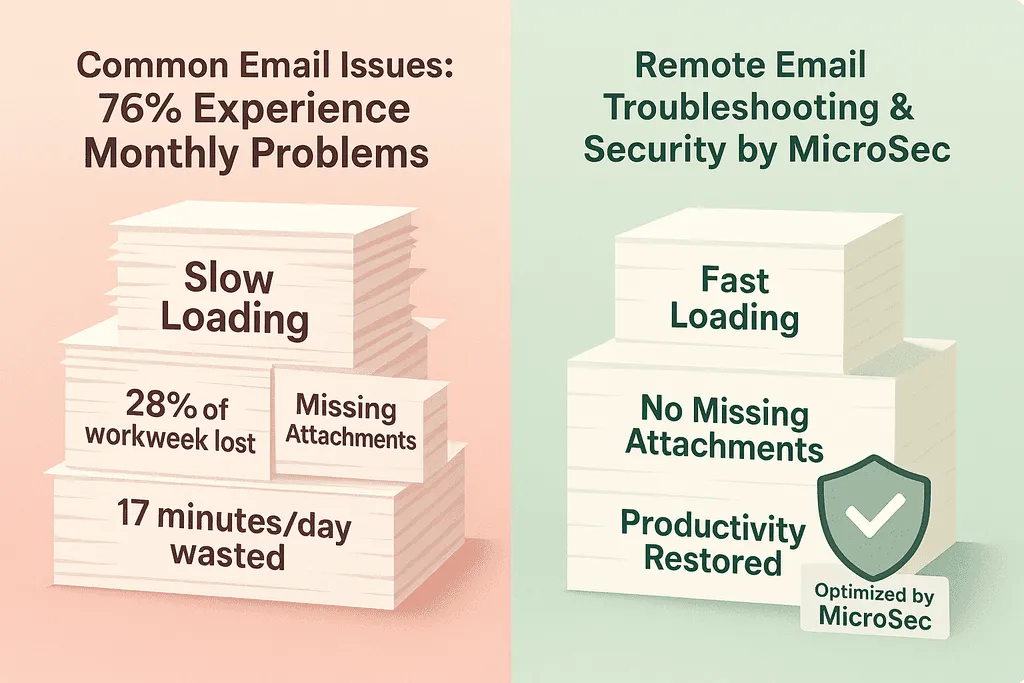
Email issues are more common than most people think, and they're usually caused by relatively small technical problems rather than a complete system failure.
The symptoms can come from incorrect account settings, authentication failures, damaged email profiles, mailbox limits, provider restrictions, or connectivity problems.
Our Professional Email Troubleshooting and Repair Service helps determine the actual cause before unnecessary settings are changed.
Emails Not Sending
Not Receiving Email
Login or Password Errors
Email Going to Spam
Server & Connection Errors
Email Issues by the Numbers
Email remains one of the most heavily used communication tools in homes and workplaces. Even small technical problems can consume a surprising amount of time when they happen repeatedly.
of users in the cited estimate report experiencing email problems at least monthly.
of the workweek is often associated with managing workplace email.
per day may be lost dealing with recurring email glitches.
Top Email Headaches
- Inbox synchronization errors.
- Password reset difficulties.
- Spam filter problems.
- Mailbox storage limits.
- Sending and receiving delays.
- Authentication and account errors.
Common Email Problems and Solutions
Mastering Email Troubleshooting: Top Issues and Solutions
Connectivity Conundrums
If an important email sits in your outbox and refuses to send, start by determining whether the email application can communicate with the provider's servers.
Common causes:- Unstable internet connection.
- Incorrect server settings.
- Firewall or security software interference.
- Temporary email provider outage.
Start by checking your internet connection, verifying the email server settings, and testing the account from another device or webmail interface.
Sending and Receiving Roadblocks
Sometimes messages become stuck in the outbox or new messages never appear in the inbox.
- Stuck in Outbox: Check attachment size and outgoing server settings.
- Not Receiving: Check available mailbox storage.
- Missing Messages: Review spam and filtering rules.
- Delayed Messages: Check synchronization and provider status.
Email Error Message Troubleshooting
What Common Email Errors Usually Mean
Often points to a network, server, or configuration problem.
Usually indicates incorrect credentials or an account authorization issue.
Indicates that the mailbox storage limit may have been reached.
Security and Spam Challenges
Email security deserves special attention because phishing, malicious attachments, account takeovers, and fraudulent messages often arrive through the inbox.
- Enable multi-factor authentication.
- Use strong and unique passwords.
- Learn how to recognize phishing attempts.
- Review spam and filtering settings.
- Keep devices and email applications updated.
- Investigate unexpected account activity quickly.
Spam filters also need to strike a balance: weak filtering can expose users to malicious messages, while overly aggressive filtering can hide legitimate email.
Common Email Technical Issues Explained
Behind many visible email problems is a technical configuration or authentication issue.
- Incorrect incoming or outgoing server configuration.
- Expired or changed account credentials.
- Outdated email applications.
- Security or firewall restrictions.
- Corrupted local email profiles.
- Provider-side account restrictions.
How to Troubleshoot Common Email Problems
When an email problem appears, work from the simplest potential cause toward more complicated configuration issues.
- Restart your device or email application. Temporary application problems may disappear after a clean restart.
- Check your internet connection. Confirm that websites and other online services are working.
- Update the email application. Older versions can develop compatibility or authentication problems.
- Verify your account settings. Review the email address, password, IMAP/POP configuration, SMTP settings, ports, and security requirements when applicable.
- Check extensions, VPNs, and security tools. Temporarily testing without unnecessary add-ons can help isolate conflicts.
Keeping Your Email Running Smoothly
Preventive maintenance can reduce the number of email problems you encounter and make future troubleshooting easier.
- Regularly clean unnecessary messages from your inbox.
- Keep your email client and operating system updated.
- Back up important messages when appropriate.
- Use a password manager for unique credentials.
- Review spam and filtering rules periodically.
- Monitor mailbox storage before it reaches capacity.
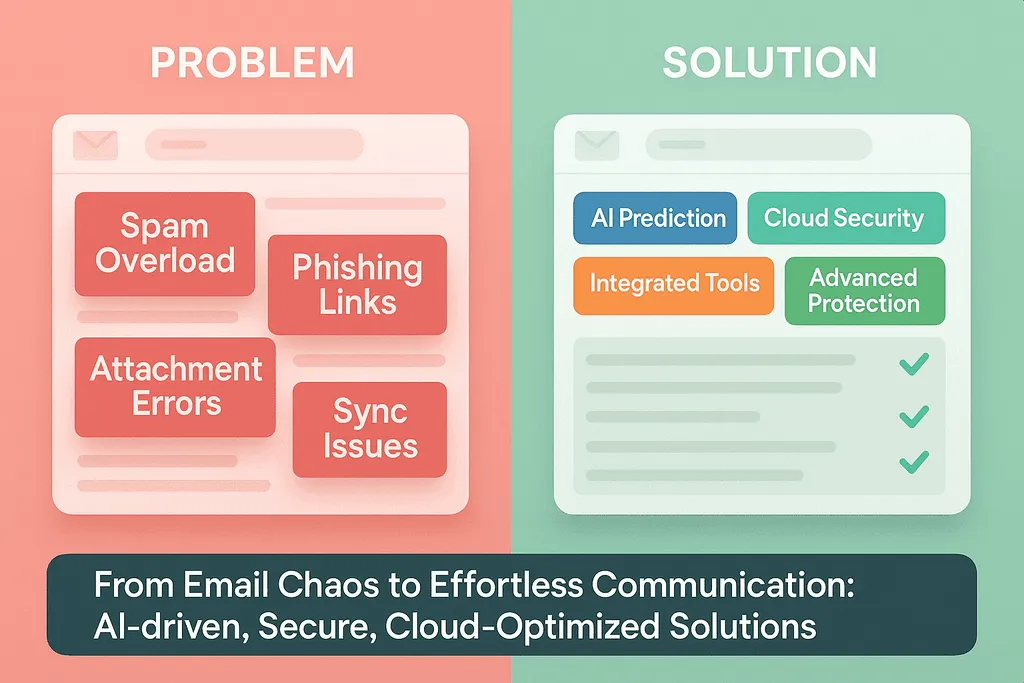
Fix Email Issues Quickly Without the Guesswork
In many cases, email problems don't require hours of random trial and error. A structured diagnosis helps determine which part of the email system is actually failing.
- Identify the exact source of the email problem.
- Apply the appropriate fix instead of changing unrelated settings.
- Reduce the chance of the same issue returning.
At MicroSec®, many software and configuration-related email problems can be investigated through remote support.
If your email is still not working properly, you can contact MicroSec® for professional assistance.
The Future of Email Troubleshooting
Email continues to evolve alongside cloud services, artificial intelligence, security technologies, and increasingly connected productivity platforms.
AI-powered assistants that help identify and prevent common problems.
Greater adoption of cloud-based email services and synchronization.
Stronger security protections against phishing and account theft.
Deeper integration between email and productivity applications.
These technologies can make email easier to manage, but they also introduce new authentication, privacy, synchronization, and configuration challenges.
As email setups become more diverse, effective troubleshooting increasingly requires understanding both the user's device and the cloud service behind the account.
Wrapping Up Your Email Mastery
Email problems can be frustrating, but many are manageable once you know where to look. Keeping your email application, operating system, passwords, and security software properly maintained can prevent a large number of common issues.
When problems persist, avoid randomly changing server settings or deleting accounts before you understand the cause. Authentication failures, synchronization problems, corrupted profiles, security restrictions, and server configuration errors may require more targeted troubleshooting.
If a problem is beyond the basic troubleshooting steps, professional remote support can help diagnose the issue without requiring an in-person visit for many software-related problems.
Your Email Questions Answered
Quick answers to some of the most common questions about email problems, security, organization, and troubleshooting.
How often should I update my email client?
Install important updates when they become available. Modern email applications often update automatically, but periodically checking that your application and operating system are current can help prevent compatibility and security problems.
What's the best way to organize my inbox?
Inbox organization depends on how you use email, but folders, labels, filters, archiving, and unsubscribing from unnecessary mailing lists can make large inboxes easier to manage.
- Use folders or labels.
- Create automatic filtering rules.
- Archive completed conversations.
- Unsubscribe from unwanted newsletters.
Can MicroSec help with email migration between platforms?
MicroSec® can assist with email setup, configuration, migration, synchronization, and troubleshooting between supported email platforms.
If you're experiencing problems before or after moving an email account, our Remote Email Troubleshooting Services can help investigate configuration, synchronization, and authentication issues.
How do I know if my email has been hacked?
Warning signs can include sent messages you don't recognize, unexpected password-reset requests, unusual login notifications, changed security settings, or contacts receiving messages you didn't send.
- Unknown messages in your Sent folder.
- Password resets you didn't request.
- Unexpected account activity alerts.
- Contacts receiving spam from your address.
Why am I not receiving certain emails?
Missing messages may have been sent to spam, blocked by a filter, rejected by the provider, delayed by the sender's email service, or prevented from arriving because the mailbox is full.
Checking spam folders, filtering rules, blocked senders, available storage, and provider status is a good place to start.
Still Having Email Problems?
If your email still won't send, receive, sync, or sign in after basic troubleshooting, the problem may involve authentication, account configuration, server settings, software conflicts, or a damaged email profile.
MicroSec® can remotely diagnose many email and computer-related problems and help identify the appropriate solution without unnecessary changes.
Get Email Troubleshooting HelpWritten by Jude Sarkar
Founder & Cybersecurity Consultant at MicroSec®
Jude Sarkar is the founder of MicroSec®, a BBB Accredited and fully insured U.S.-based remote IT support and cybersecurity company. With over a decade of hands-on experience in malware removal, virus cleanup, and scam prevention, Jude helps homeowners, seniors, and small businesses stay safe online through trusted, human-first remote support.
For more information, please visit About MicroSec®.